
Now on Google Play
Season Approved: Analysts is on Android.
Your referral code, link, QR code and earnings, in one app made for color analysts. Recommend the app your clients already need, and earn every time they pay for a membership.

Available in the United States.
Good for your practice. Good for your clients.
Recurring revenue from advice you already give.
- A commission on every membership payment an eligible client makes, for as long as they stay.
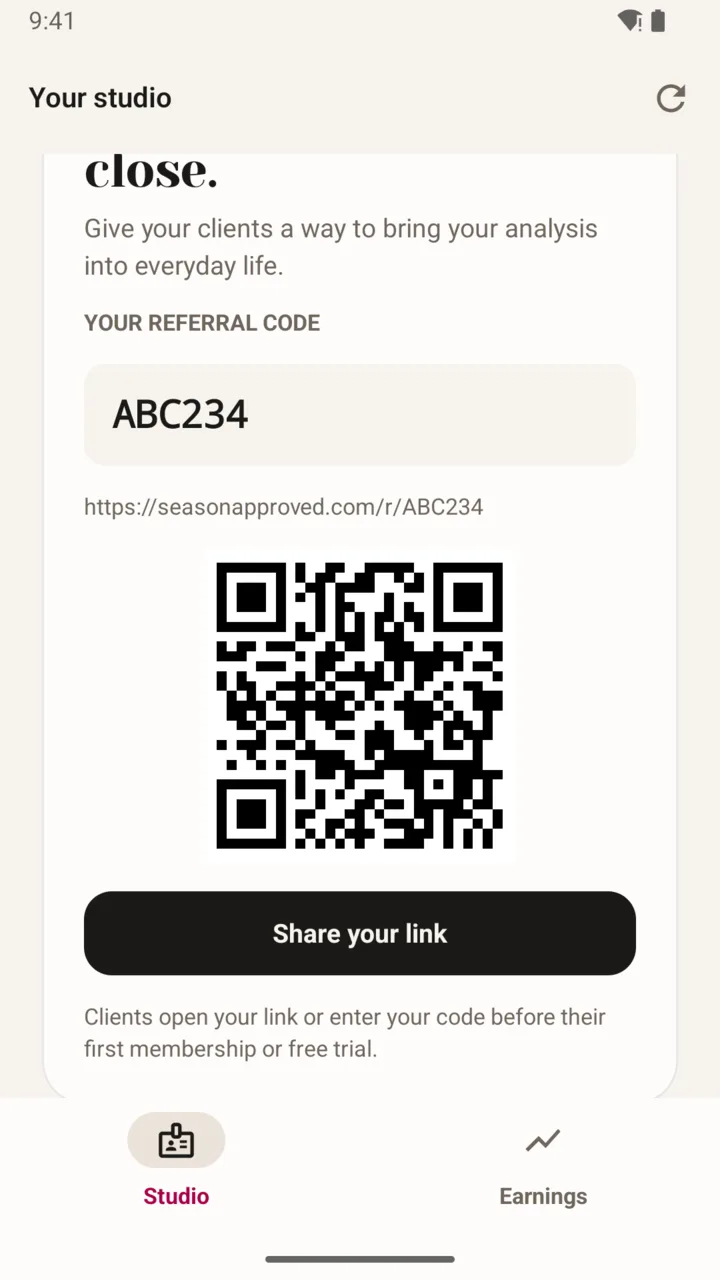
- One code, one link and one QR code to share after every session.
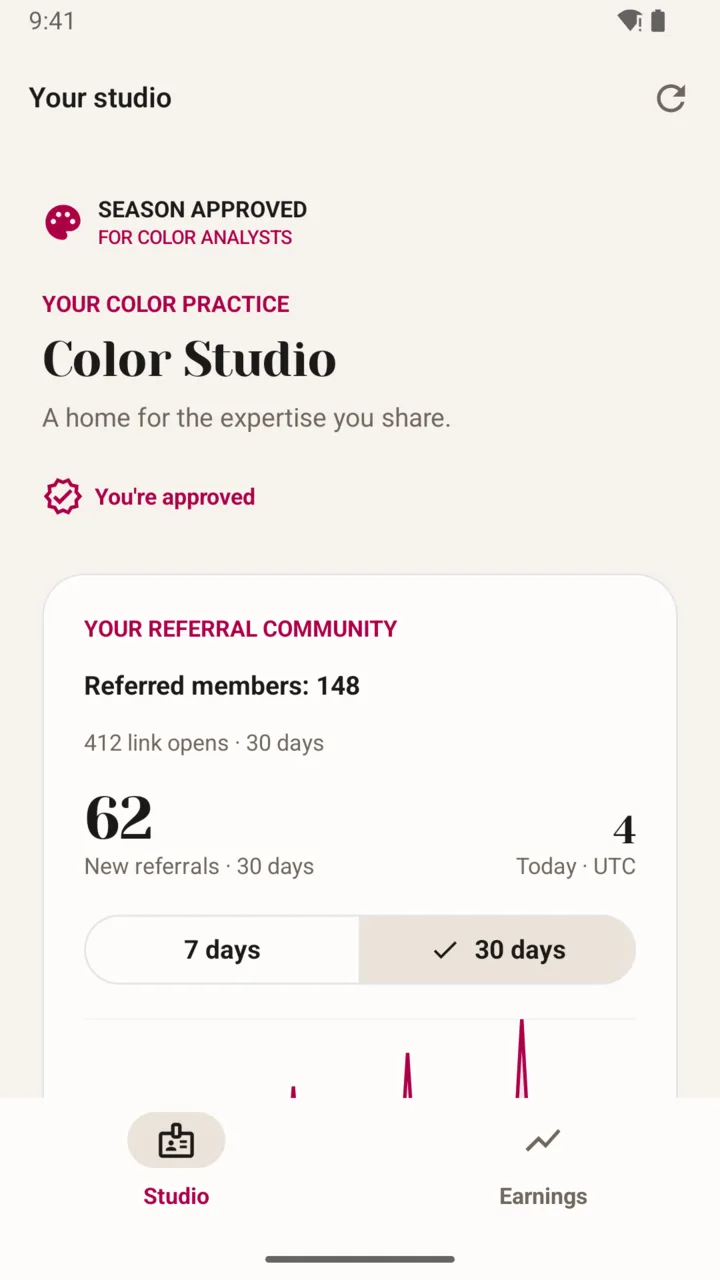
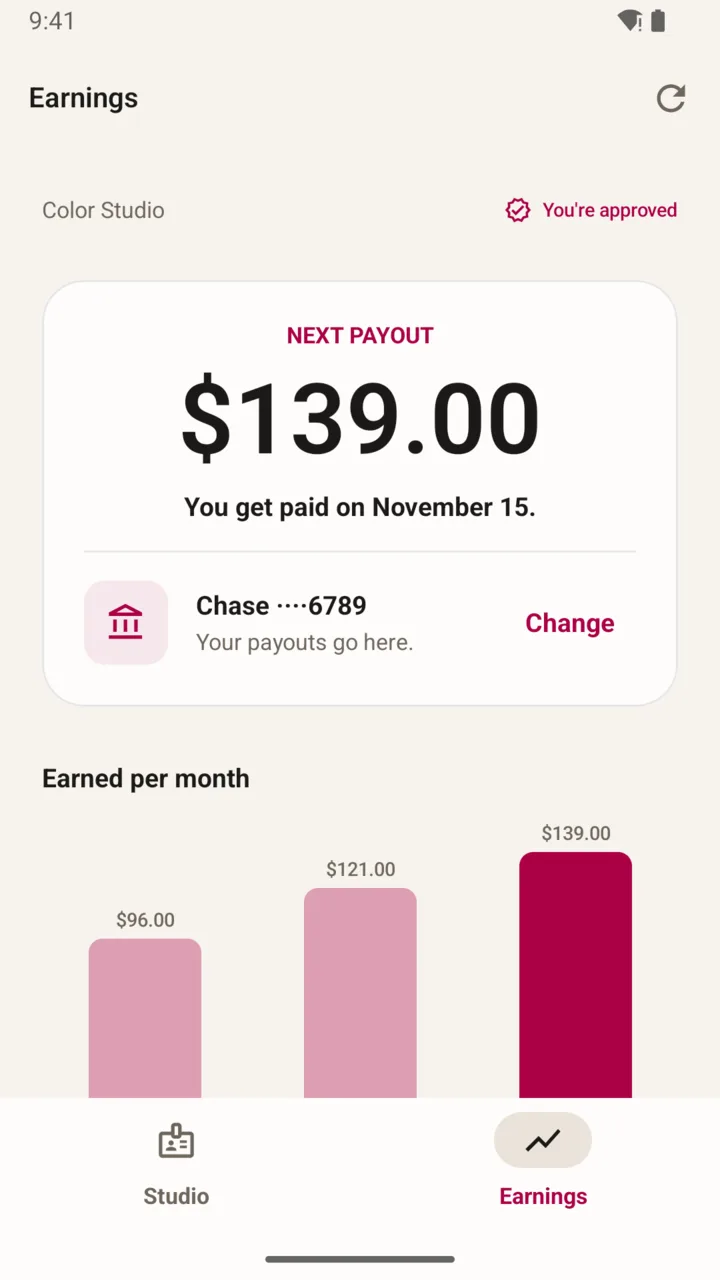
- Link opens and referred members in Studio; next payout and earnings by month in Earnings.
- Payouts through Stripe, straight to your bank.
A tool that keeps your analysis working.
- Season Approved starts from the season you gave them and never changes it.
- Shop clothing scored for your season
- Your season profile, WOW colors and neutrals
- Color Match: hold your phone to any piece
- A palette to wear, new each day
- The colors your closet is missing
- Hue, saves and picks without limits
How it works
- Step 1
Download and tap Get started
Install Season Approved: Analysts from Google Play and open it.
- Step 2
Sign in
Use your email, Apple or Google.
- Step 3
Introduce your studio
Add the name your clients know you by and your business website, then submit your profile. Season Approved reviews every application.
- Step 4
Get your code, link and QR code
Once you are approved, Studio shows your personal referral code, your link (seasonapproved.com/r/ and your code), a QR code and a Share button.
- Step 5
Share it with clients
After a session, send your link or show the QR code. Clients open your link, or enter your code before their first Season Approved membership or free trial.
- Step 6
Earn on every payment
Each membership payment an eligible client makes earns you a commission, for as long as they keep their membership.
- Step 7
Watch it grow
Studio shows link opens and referred members. Earnings shows your next payout, your payout bank and what you earned each month.
- Step 8
Get paid through Stripe
Payouts start once Stripe has verified your account and your program is active.
Get the Analysts app.
Your application, approval, your link and your earnings all live there.
Google Play and the Google Play logo are trademarks of Google LLC.
Season Approved: Analysts is on Google Play today. Your clients use the main Season Approved app, which is on both the App Store and Google Play, so every client can use your code.
No. Season Approved: Analysts is for you: your application, your code, your link and your earnings. Your clients use Season Approved, the app that works from the season you gave them.
Color analysts working in the United States, and US creators who post about color analysis or seasonal color. We review every application and may decline or suspend an account.
An approved profile, a Stripe account that Stripe has verified, and an active program. Stripe handles identity, bank details and US tax forms; Season Approved never stores them.
